You have an Airtable base and a Google Sheet, and you want the Sheet to show what the base shows. Someone told you to use Zapier. It is the biggest name in the category, it connects both apps, and there is a ready-made template waiting for you.
So you build it. 2 weeks later the tab has 41 rows for 28 records, it still lists a client you deleted in March, and none of the 400 records that were in the table before you switched the Zap on ever showed up.
That is not Zapier breaking. That is Zapier doing precisely what it was built to do, pointed at a job it was not built for. Most people comparing these 2 are comparing 2 different kinds of tool without knowing it. This page sorts that out, prices both, and names the readers who should stop here and go build a Zap.
The short version: Zapier is an automation platform. It fires once per record event and each step acts on that one record, so the standard Airtable-to-Sheets Zap appends a row and never goes back to it. Edits, deletions and pre-existing records are all on you. Airtable to Sheets is a Google Sheets add-on that rewrites a whole table or view every run, at a flat $9 to $39 a month. Pick Zapier when the spreadsheet row is one step in a chain that also hits Slack, a CRM or an invoice. Pick a sync when the tab has to keep agreeing with the base.
Quick comparison
| Airtable to Sheets | Zapier | |
|---|---|---|
| Price | $9, $19 or $39 a month, flat | From $19.99 a month on annual billing, plus the task volume you choose |
| Free tier | 7-day trial, no credit card | Free plan, 100 tasks a month, 2-step Zaps only |
| What you are billed for | The account | Each successful action step, metered |
| How often it can run | Manual, or every 3 hours on Pro and Business | Every 15 minutes on Free, every 2 minutes on Professional, 1 on Team |
| What one run does | Rewrites the whole table or view | Processes one record event through the steps you built |
| Edits to existing records | The same row is rewritten | Only if you add a lookup step and a key column |
| Deleted records | The row goes | No Airtable delete trigger exists on Zapier |
| Records already there at setup | All written on the first sync | Not written; Transfer is a separate, task-metered job |
| Sync an Airtable view | Yes, its filter and sort arrive with the data | Through trigger conditions you rebuild in the Zap |
| Best at | Keeping one table and one tab in agreement | Multi-step workflows across several apps |
I checked prices for both tools on 22 July 2026.
The deciding difference: per event, or per table
Zapier waits for something to happen and then does something. The waiting half is a trigger, the doing half is an action.
For Airtable, Zapier offers exactly 2 triggers: New Record and New or Updated Record. There is no trigger for a deleted record, and there cannot be, because a deletion is an absence and there is nothing to hand to the next step. Pair either trigger with Create Spreadsheet Row and you have the Zap almost everyone builds. A record fires, a row appears at the bottom of the tab. 1 record per 1 run.
A sync works from the other end. It does not care what happened. It reads the whole table or view, compares it to what is in the tab, and makes the tab match. Each run moves all of it in one operation. Nothing is inferred from events, so there are no events to miss.

That shows up in 3 places.
Edits. Change a client's status in Airtable and the row Zapier already wrote stays as it was. Switch to the New or Updated Record trigger and you get a second row for the same client instead, because Create Spreadsheet Row appends, it does not search. 2 rows now disagree about one client and nothing marks which is current.
Deletions. Delete the record and the row sits in your spreadsheet forever. No trigger catches it, so no version of this Zap removes it.
The records that were already there. Zapier's documentation is direct about this: a Zap "will not trigger for old data, including data that was created in your app before the Zap was turned on." Your 400 existing records are invisible to it. Zapier's Transfer feature can push a batch of them through a Zap after the fact, and it spends tasks per record.
Building the sync yourself on Zapier
You can close most of that gap, and people do.
Add a Lookup Spreadsheet Row step between the trigger and the write, keyed on the Airtable record ID. If it finds a row, run Update Spreadsheet Row. If not, run Create Spreadsheet Row. Deletions still have no answer, but new records and edits land correctly.
2 things before you spend an afternoon on it. That is 3 steps, and Zapier's free plan is limited to 2-step Zaps, one trigger and one action, so the pattern starts at Professional. And a search action set to proceed if nothing is found counts as a task itself, so every record change spends 2 tasks instead of 1.
Field mapping is yours to keep either way. Add a field in Airtable and you go back into the Zap to wire it up. Rename one and the mapping breaks, because Zapier maps by name.
Pricing
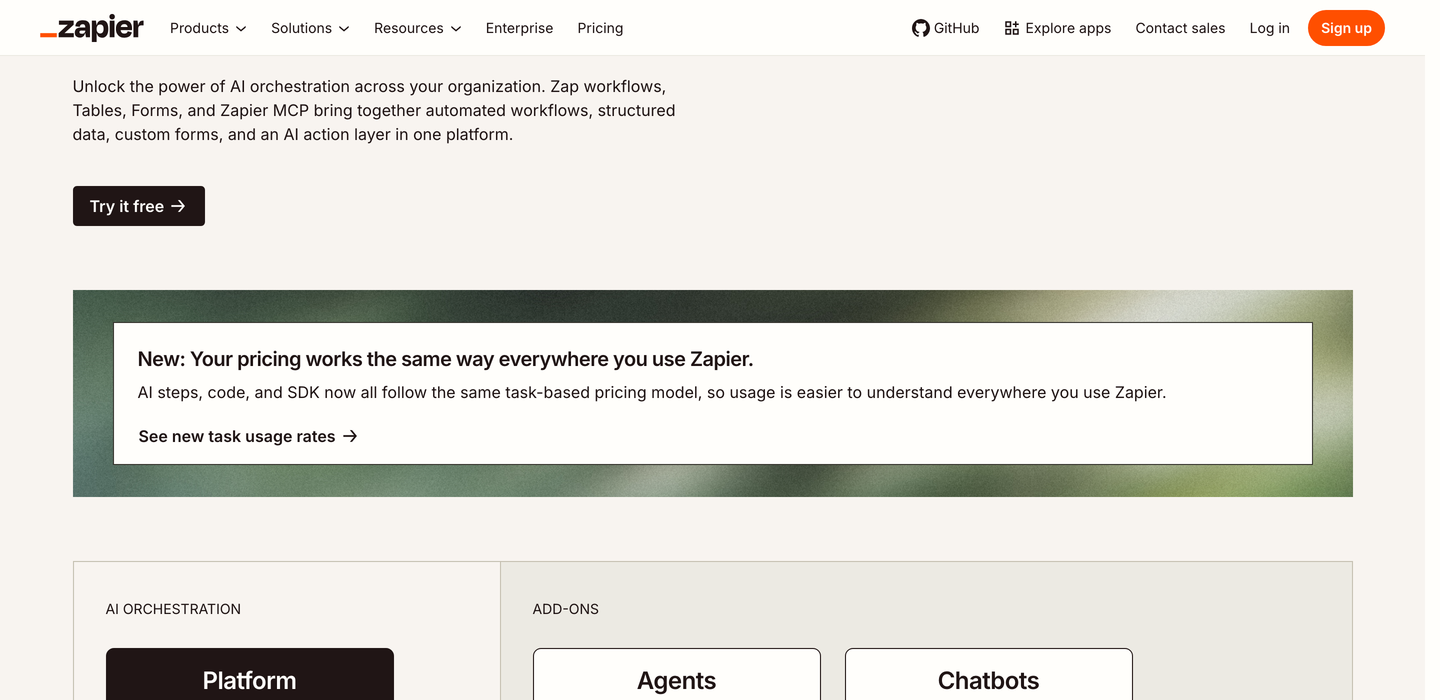
Zapier's pricing page, captured the day these figures were checked. Screenshot taken on 22 July 2026.
Zapier, from its own pricing page, checked on 22 July 2026:
- Free. $0. 100 tasks a month, 2-step Zaps, 15-minute polling.
- Professional. From $19.99 a month on annual billing, 750 tasks a month, multi-step Zaps, 2-minute polling. Zapier states that annual commitment saves 33% against paying monthly.
- Team. From $69 a month, adding multiple users.
- Enterprise. Price on request.
A task is any successful action that runs. Triggers do not count. Neither do Filter, Paths, Formatter, Delay, Looping, Digest, Storage or Zapier Manager steps, and failed steps do not count either. The task allowance is chosen separately from the plan on a sliding scale starting at 100 a month and running into the millions. Go over on a paid plan and your Zaps keep running while Zapier bills the excess per task, up to a hard stop at 3 times the allowance. Zapier's own example: a Professional 750 plan stops at 2,250 tasks.
An illustration. Take a 500-record project table where 100 new records arrive in a month and 400 existing records get edited at least once. That is 500 trigger firings. The simple way, one append each, costs 500 tasks. Built properly with a lookup and a conditional write, 2 tasks each, so 1,000. Professional's entry allowance is 750. Your real number depends on how often records get touched, which is the shape of it: on Zapier the bill moves with the churn.
Airtable to Sheets, checked on 22 July 2026:
- Starter. $9 a month or $90 a year. Manual sync, up to 3 tables or views.
- Pro. $19 a month or $190 a year. Unlimited tables and views, scheduled sync every 3 hours, priority support.
- Business. $39 a month or $390 a year. Everything in Pro plus two-way sync, so edits in the Sheet push back to Airtable.
Flat per account. No per-user charge, no per-row charge, no record cap on our side, so a 50-record table and a 50,000-record table cost the same. 7-day free trial with no credit card, 30-day money-back guarantee. Full detail on the pricing page.
Refresh speed, where Zapier wins outright
Our add-on runs inside your Google account on Apps Script, and Google caps add-on scheduled triggers at roughly one run per hour. Each Google Sheets add-on on the Marketplace sits under that ceiling. Ours runs every 3 hours.
Zapier runs on its own servers and is not bound by it. Professional polls Airtable every 2 minutes, Team every minute. If your job needs the row in the spreadsheet within minutes of the record appearing, no Sheets add-on can do it, ours included, and you should be suspicious of any that says otherwise. More on that ceiling in updating Google Sheets from Airtable automatically. If you want frequent refresh and whole-table reconciliation, that is a cloud sync tool rather than either product on this page, and the Coupler.io comparison covers what it costs.
