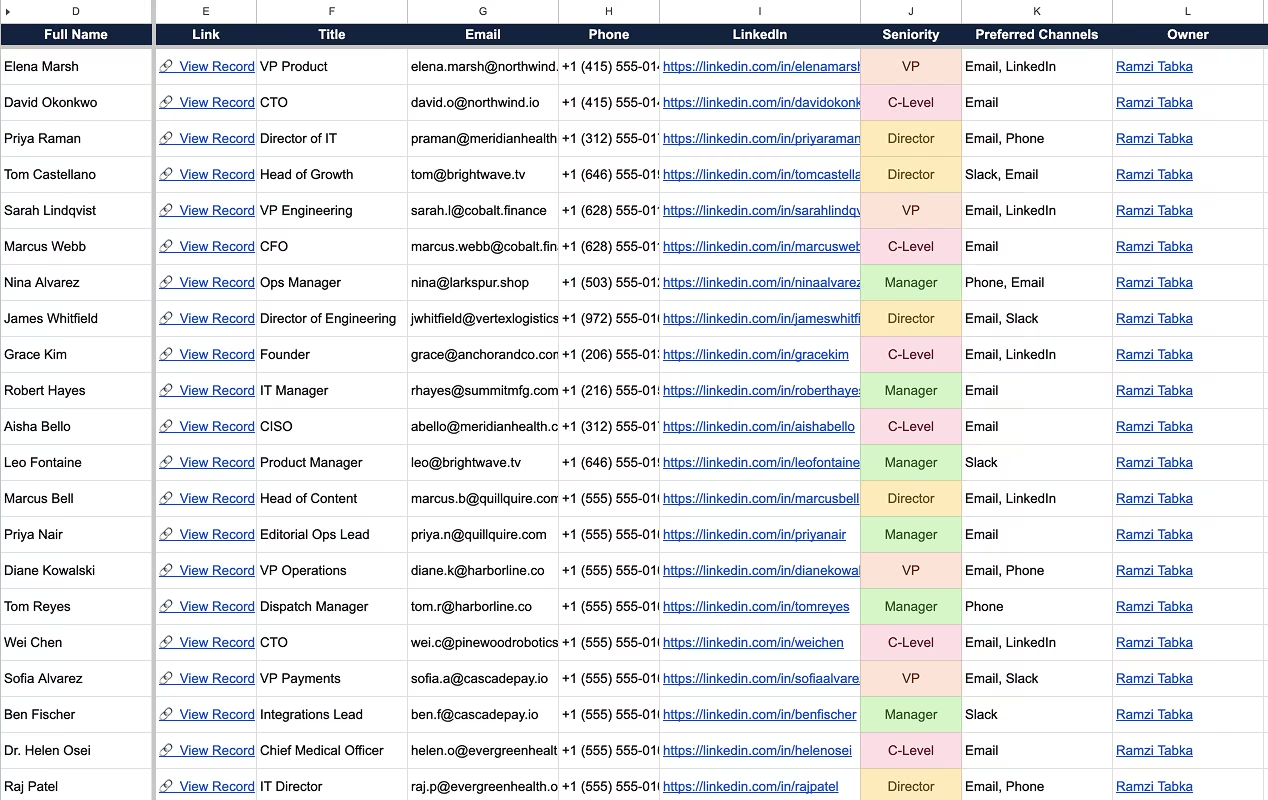
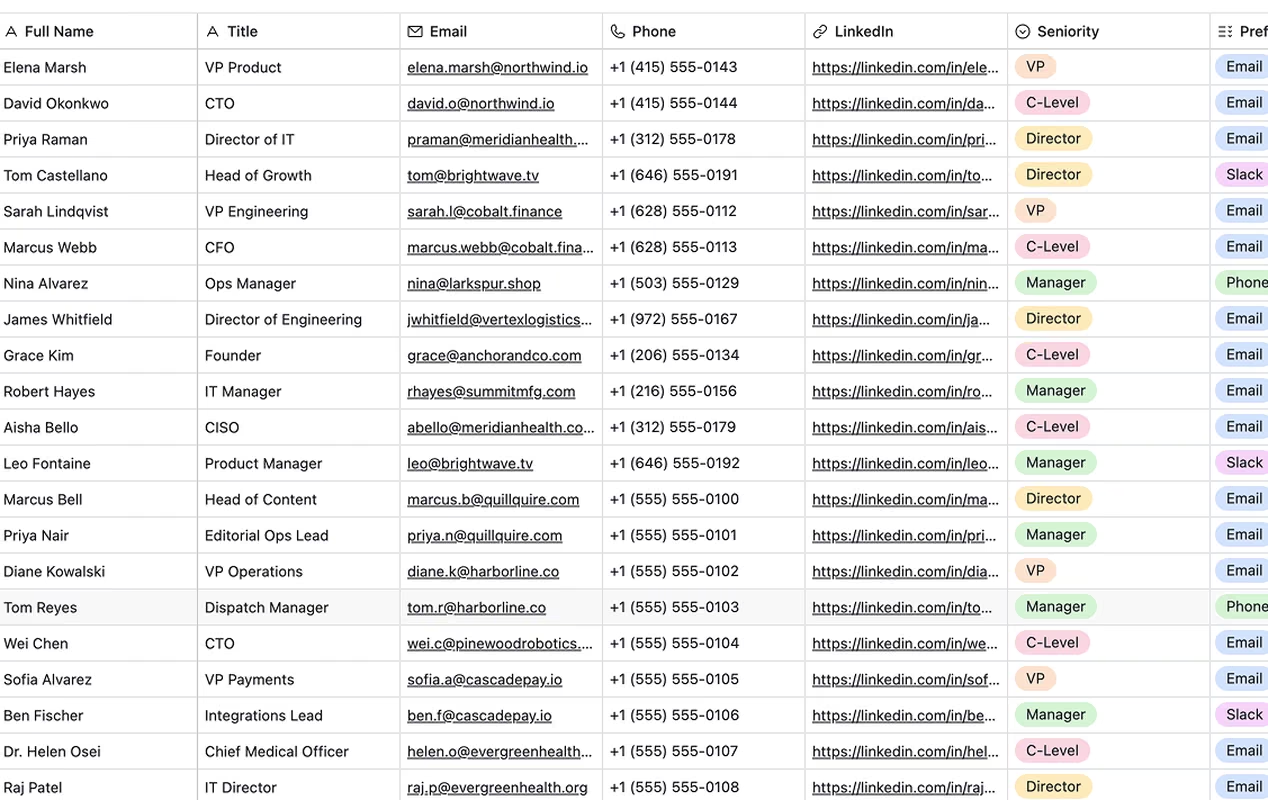
Pull Airtable records into Google Sheets with a single click. Pick a base, table, or view and your data flows into your spreadsheet. Forget manual exports.
Add Airtable to Sheets to any Google Sheet. No coding, no IT tickets.
2
Connect Airtable
Sign in with Airtable OAuth. Your data never touches our servers.
3
Pick a base, table, or view
Choose a sync mode: manual on demand, scheduled every 3 hours on Pro and Business, or two-way and live on Business. Records flow straight into your sheet.
What it does
Your Airtable base, live in Sheets
Sync records from any base, table, or view into Google Sheets. Pick the refresh rate that fits your workflow.
01
Sync records
Connect any Airtable base, table, or view and records appear in your sheet in seconds
Airtable field IDs are stored in a protected row so field renames never break your sync
Add your own columns next to Airtable data. Your formulas survive every sync.
Build pivot tables, charts, and dashboards on top of live Airtable data
Single line text
Brew and Co. Coffee Shop
Long text
Weekly roast notes and supplier follow-ups
Attachment
contract.pdf
Checkbox
Single select
Active
Multiple select
Email, LinkedIn
Collaborator
Maria Lindgren
Date
2026-05-12
Phone number
+1 555 0142
Email
maria@example.com
URL
https://brewandco.example.com
Number
1240
Currency
$4,200.00
Percent
72%
Duration
2:45:00
Rating
★★★★☆
Formula
18,400
Rollup
36
Count
12
Lookup
Northline Collective
Created time
2026-05-12 09:31:00
Last modified time
2026-06-01 14:08:00
Created by
Diego Mensah
Last modified by
Priya Lindqvist
Collaborators
Aisha Moreau, Noor Ahlgren
Autonumber
24
Barcode
9781402894626
Button
Open record
Linked record
Brew and Co., Northline
AI text
Positive sentiment, 3 actions
Sync source
Salesforce
Single line text
Brew and Co. Coffee Shop
Long text
Weekly roast notes and supplier follow-ups
Attachment
contract.pdf
Checkbox
Single select
Active
Multiple select
Email, LinkedIn
Collaborator
Maria Lindgren
Date
2026-05-12
Phone number
+1 555 0142
Email
maria@example.com
URL
https://brewandco.example.com
Number
1240
Currency
$4,200.00
Percent
72%
Duration
2:45:00
Rating
★★★★☆
Formula
18,400
Rollup
36
Count
12
Lookup
Northline Collective
Created time
2026-05-12 09:31:00
Last modified time
2026-06-01 14:08:00
Created by
Diego Mensah
Last modified by
Priya Lindqvist
Collaborators
Aisha Moreau, Noor Ahlgren
Autonumber
24
Barcode
9781402894626
Button
Open record
Linked record
Brew and Co., Northline
AI text
Positive sentiment, 3 actions
Sync source
Salesforce
02
All field types supported
Single select, multi-select, checkboxes, dates, currencies, and formulas all sync correctly
Linked records, collaborators, and attachments render as readable values
Computed fields like rollups and lookups are read-only synced without losing detail
03
Customize every sync
Set the frequency per sync: manual, scheduled every 3h, or live the moment a record changes in Airtable
Set the direction. One-way keeps the sheet a clean copy, two-way pushes your sheet edits back to Airtable.
Set what lands in the sheet: a view, the exact fields you want, and whether to bring read-only formulas and rollups along
Pricing
Pick a plan, start syncing today
Try the add-on free for 7 days when you install it.
Starter
For freelancers and solo operators who need a few tables
$9/month
billed monthly
Sync up to 3 tables or views
All Airtable field types
Manual sync on demand
Scheduled syncs (every 3h)
Unlimited tables and views
Two-way sync
Most popular
Pro
For teams that need unlimited syncs and scheduled updates
$19/month
billed monthly
Unlimited tables and views
All Airtable field types
Manual sync on demand
Scheduled syncs (every 3h)
Priority support
Two-way sync
Business
For teams that edit in Google Sheets and push those changes back to Airtable
$39/month
billed monthly
Unlimited tables and views
All Airtable field types
Manual sync on demand
Scheduled syncs (every 3h)
Priority support
Two-way sync
Pay per add-on user. Everyone else uses the sheet for free. Need more seats? Contact support.
Every plan starts with a 7-day trial. No credit card required.
Secure checkout powered by Stripe. Cancel anytime.
30-day money-back guarantee, no questions asked.
You have better things to do than export spreadsheets.
Connect Airtable and see your records in Sheets in 2 minutes.
An integration studio built this for Airtable teams
UpSys is a Google Workspace integration studio. We built Airtable to Sheets because we saw teams waste hours every week copy-pasting data between tools.
Install the Airtable to Sheets add-on from the Google Workspace Marketplace, sign in with Airtable OAuth, then pick a base, table, or view. Records land in your spreadsheet in about 2 minutes, with no CSV export and no code.
Yes. Manual sync runs on demand on every plan, scheduled sync refreshes every 3 hours on Pro and Business, and two-way sync on Business pushes your sheet edits back to Airtable as you make them.
Yes, 7 days with full access to every feature. No credit card required. Install it, connect Airtable, and start syncing in under 2 minutes.
No. You only pay for people who run or edit syncs in the add-on. Anyone else on your team can view and edit the spreadsheet for free, since they're using Google Sheets directly.
Pick an Airtable base, table, or view, choose which fields you want, and hit sync. Modes cover manual on demand on every plan, scheduled every 3 hours on Pro and Business, and two-way sync on Business.
All of them. Text, numbers, dates, checkboxes, single and multi-select, linked records, attachments, collaborators, formulas, rollups, lookups, and more. Each field type has a dedicated transformer that renders values correctly in Sheets.
Your data flows directly between Airtable and Google Sheets through their secure APIs. We never store, access, or even see your record data. OAuth tokens are encrypted in Google's PropertiesService, and nothing passes through our servers.
It won't. Airtable to Sheets writes to its own dedicated sheet tab, so your existing data stays untouched. And if anything feels off, our support team typically responds within a few hours.
30-day money-back guarantee, no questions asked. If Airtable to Sheets isn't saving you time within the first month, we'll refund you in full.
Your data stays yours
Airtable to Sheets connects directly through Airtable and Google's official APIs. Your record data never passes through our servers. We literally cannot see it.